Before we move on to the submission to Google News/Publisher Center, I thought I’d share a bit more about the Google Search Console.
For a new website, your most significant challenge to collecting performance data, is that you don’t have much traffic. Thus, no significant data has been collected. Thus it can’t be analyzed for performance.
But that doesn’t mean you can’t run your site through some initial tests.
One option is the “Mobile-Friendly Test” – https://search.google.com/test/mobile-friendly?hl=en . Just paste your web page in and viola… results. You can get there by going to the “Google Search Console” – “Mobile Useability” – and clicking in the details area of any page.


Notice this is my fully loaded home page, so I’m quite happy to achieve this with a visually attractive home page with 10 posts/stories.
However, I didn’t get that result right away. What initially tripped me up was a couple of my custom images and some javascript. I found these issues by selecting the “Core Web Vitals” and clicking the “Try PageSpeed Insights”. Once there, I was able to get detailed performance data regarding my two key tests – the home page, and specific posts.
I solved my problem by implementing two changes.
First, I dumped the WordPress javascripts that allow visitors to share to Facebook, Twitter, etc. They were clearly costing the site performance points. Right now, I’m betting that performance will be more important than easy sharing. Especially since I’m not using any optimized plug-ins.
Second, while the images had been saved as .png, they weren’t winning the mobility points. Until I resaved the images using an awesome website that handled all of the optimization elements for me… https://tinypng.com
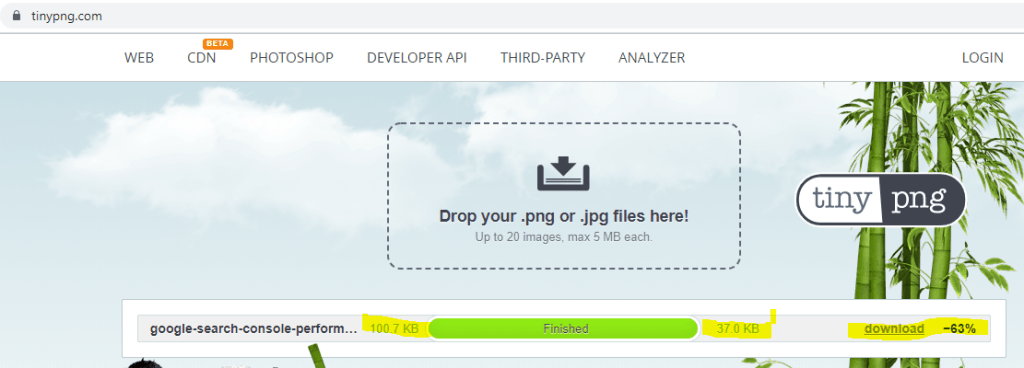
In summary, be cautious with the “sharing” options in the built-in WordPress if you are concerned about performance. And always check your images with a top image converter tool. Even better, a free one.
 Cyber Roadmap